 DreamLabs
DreamLabs
DreamLabs
[Case study]
AI-powered web app
Shipped 15 features in four weeks of development.
Flutter, OpenAI, Firebase, Make, Figma, Notion
4 weeks
[What it is]
KPI Dash is an AI-powered web app for hospitality managers. It gathers the numbers a manager depends on, from sales to payroll, out of separate software and into one smart dashboard that also explains them. DreamLabs built it in Flutter on Firebase, with Make automations and OpenAI insights, and shipped 15 features in four weeks of development.
A hospitality manager’s data, from sales to payroll, is spread across separate software solutions. The obvious way to bring it together, a heavy custom integration for each system, is exactly what KPI Dash was designed to avoid.
KPI Dash set out to do two things: give managers one source of truth across their core KPIs, and go a step beyond reporting by telling them what the numbers mean and what to do next.
[How it works]
User stories
The user stories cover one user type, the end user:
Integration by email forward
Rather than build a custom integration for every system a venue might use, we designed KPI Dash so a manager connects data from separate software with a simple email forward. No heavy integration work is needed, and data can also be imported manually.
The pipeline in the screenshot below runs from Gmail into Firebase through a Make scenario with text-parsing, PDF and OpenAI steps, so forwarded data lands in the database ready for the dashboard and the insights layer.
The dashboard
The dashboard groups metrics into Revenue & Labor and Expenses. Revenue & Labor shows net sales, gross sales, guest count, average check and hourly labor, each with a variance, plus a forecast of the week’s sales. Expenses tracks total prime cost as a percentage of net sales. Beside the numbers, an AI business insights panel explains them in plain language, for example flagging when labor is running higher than normal and what it would take to stay within budget.
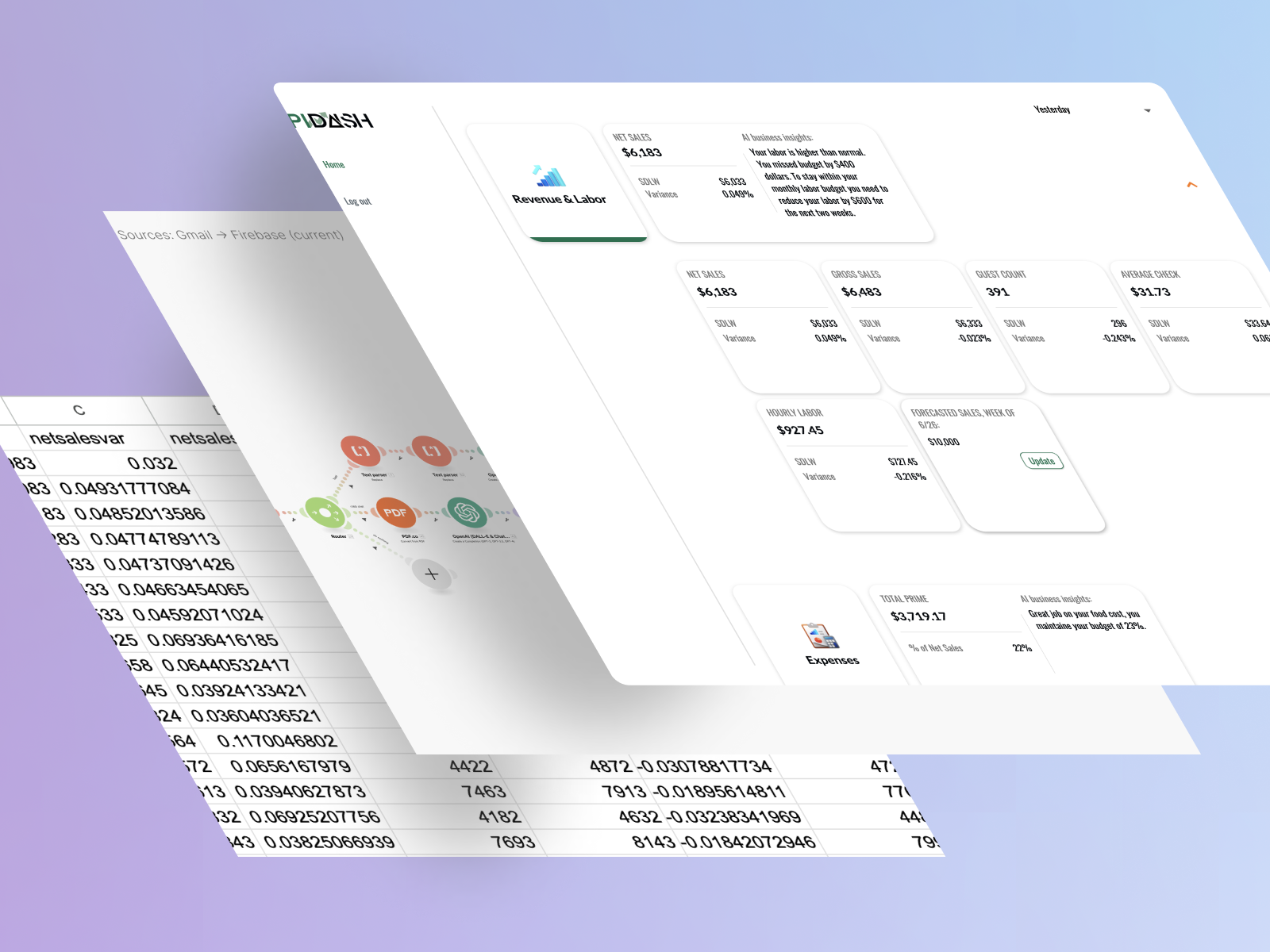
Flutter for the web app, Firebase for the back end and data, Make for the email-to-database automations, and OpenAI for the insights. Figma and Notion carried the design and planning work.
Development started once the user stories and wireframes were complete. From there it took four weeks and delivered 15 features.
KPI Dash went from wireframes to a working AI-powered web app, 15 features, in four weeks of development. The finished app lets a manager bring data from separate systems into one dashboard with an email forward, see core KPIs in one place, and get recommendations based on live data.
For more on internal dashboards and data tools like this one, see our custom software development page.